
A placement falls through and four months later a client requests the same candidate profile. The consultant who made the original placement has left, and searching your CRM brings up three duplicate records with inconsistent job titles and incomplete notes. None surface the right candidate. CV search tools fail when the candidate data underneath them is uncoded or poorly structured.
Most UK recruitment agencies have qualified candidates sitting in their database, blocked by free-text notes, inconsistent job titles and duplicate entries. As an independent recruitment technology consultancy, we evaluate how candidate data is parsed, indexed and searched across agency tech stacks without vendor bias.
Why CV searches miss candidates already in your CRM
A CV search tool scans document text, metadata and database fields. When a query returns irrelevant profiles or misses suitable candidates, the failure sits with how data was recorded rather than the search engine itself.
The four layers a CV search reads
CV search engines operate across four main data layers:
- Parsed CV fields: structured contact details, work history, skills and dates extracted during upload.
- Raw document text: unindexed text contained within uploaded Word or PDF files.
- Coded candidate fields: sector tags, job titles and skills assigned manually or automatically to the candidate record.
- Activity notes: screening notes, interview feedback and email records stored against the candidate.
If a candidate CV was attached without parsing, the search tool can only read raw document text. If parsing mapped information into incorrect fields, filtered searches fail. Search engines only surface candidates whose profiles were completed correctly at point of entry.
Job title variations that block search queries
Candidates rarely describe their roles using identical terminology. An account manager at one firm performs the same duties as a business development executive at another. Searching for an exact job title excludes suitable candidates unless your CRM maps those job titles to a standard taxonomy.

Effective CV search relies on consistent coding across your database. Establishing a clear candidate tracking structure in your CRM allows consultants to search by verified skill sets rather than guessing title variations.
Unlinked candidate records and unmerged files
Duplicate entries and unlinked CV files hide candidate history. When an updated CV lands on a secondary record that was never linked to the main candidate file, your search engine reads an incomplete profile.
The quality of your CRM data quality decides what any candidate search can surface.
How to search candidate CVs faster in five steps
Consultants can reduce search times and surface dormant records by executing candidate searches in five structured steps.

Step 1: Translate the job brief into search terms
Convert the client brief into core skill sets, candidate locations and mandatory qualifications before opening your database. List common title synonyms and industry shorthand. The CV language, not the brief, determines match success.
Step 2: Search coded candidate tags first
Query structured fields first, including skill tags, sector codes and geographical location. Well-tagged records return tight shortlists within seconds. Where candidate tagging is patchy, setting standard taxonomy rules across your desk improves search speed.
Step 3: Widen parameters with Boolean logic
Use Boolean operators (AND, OR, NOT) to refine results systematically. Apply OR across job title variants, NOT to exclude irrelevant sub-sectors, and quote marks for multi-word phrases. Adjust one parameter at a time. Rapid changes in result counts usually indicate inconsistent job title coding.
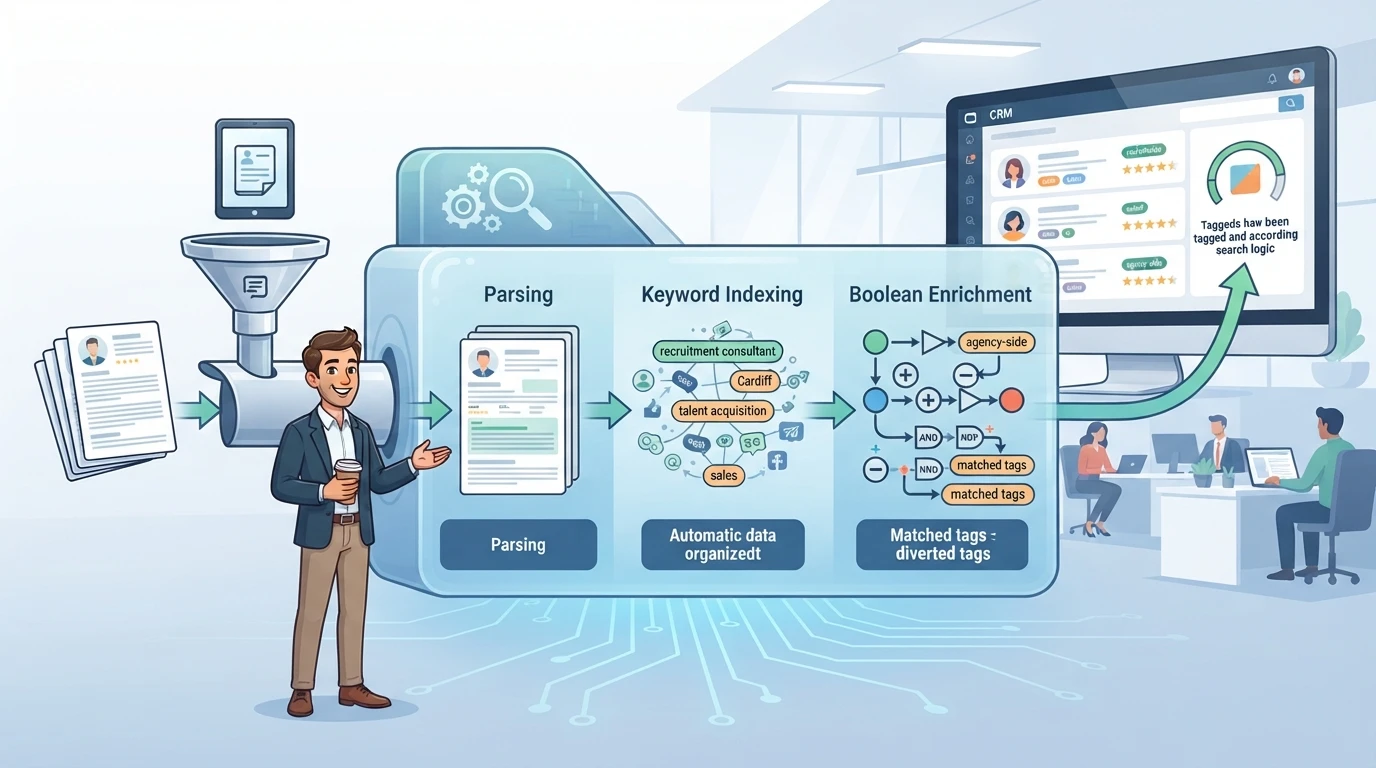
Keep a shared library of tested Boolean strings by desk. Consultants can reuse proven search queries rather than rebuilding them for every role.
Step 4: Review, score and code matches
Evaluate matches against mandatory requirements and update candidate records with missing skill tags immediately. Spending two minutes tagging a record during a search saves hours across future roles.
Step 5: Reactivate past candidates before sourcing externally
Review past shortlists and unplaced silver-medallists before placing job board ads. A consultant making two calls to previously interviewed candidates can fill roles faster and at lower cost than external sourcing.
How CV search technology handles candidate data
Keyword matching and index search
Keyword filtering compares search terms against indexed text across stored files. Typing specific terms matches stored documents quickly, but candidates using alternative terms remain hidden until those exact phrases are included in your query.
Parsing, field mapping and taxonomy
CV parsers extract text from documents and populate structured fields on candidate records. Effective mapping determines search reliability. When a parser dumps text into unindexed note fields, search filters cannot use it. Standardising job titles converts disparate descriptions into consistent codes. If your database contains CVs parsed years ago on legacy software, re-parsing older files updates structured fields to current standards.
Distinguishing software capabilities from consultant judgement
Search engines aggregate and filter data. Deciding whether five years in a niche sector outweighs seven years in a broader role remains a consultant's job. Tools highlight options; consultants evaluate candidate motivation and cultural fit.
Common mistakes when selecting search software
Starting searches without clear criteria
Searching for generic job titles without breaking down required capabilities leads to irrelevant results. Build queries around essential skills and domain experience first.
Purchasing new search tools before resolving record quality
New software cannot surface candidates whose records lack basic tags or contain corrupt files. Resolve data entry practices and field consistency before evaluating software add-ons. A structured CRM candidate data audit shows which candidate fields to complete before spending on new search software.
Paying recurring fees for basic data tasks
Improving database structure requires defined, single-project fixes rather than rolling monthly subscriptions. Establish clear field standards, flag duplicate records for manual review, and train consultants on consistent data entry. If you are reviewing software investments, seeking independent advice on recruitment tech stacks ensures budget is allocated to workflow improvements that yield measurable adoption.
Building a searchable candidate database
Structuring candidate records for search accuracy
To make candidate CVs searchable across your team, structure records systematically:
- Standardise job titles into a single taxonomy so role variants map to one code.
- Populate skill tags, sectors and locations directly from parsed CV text.
- Flag potential duplicate candidate records for internal review without automated deletion.
- Convert unstructured screen notes into searchable candidate tags.
Keep data projects focused and defined. Identifying complete records, incomplete files and duplicate entries gives your operations lead clear priorities.
Turning dormant records into candidate intelligence
Unsearched CVs in shared drives or forgotten database folders represent wasted asset value. Extracting work histories, skills and locations into coded CRM fields allows consultants to query your database without opening individual files. Once the candidate database is coded and indexed, consultants can rely on dormant database can feed placement-winning reactivation instead of letting past CVs gather dust.
Evaluate how your team currently searches candidate records before investing in new software. If consultants rely on free-text searches because coded fields are empty, fixing record structure yields immediate gains in search speed and placement rates. Software expands search capability only when underlying database records are structured correctly.
Frequently asked questions
How can consultants search candidate CVs faster?
Start by querying coded fields such as skills, location and standardised job titles before using text search. Write search queries based on the client brief before opening the CRM, use Boolean logic to adjust search breadth, and check existing silver-medallists before sourcing on external job boards.
Why does a Boolean CV search return zero candidates?
Zero results usually indicate that CVs were not parsed into structured fields or that job titles were entered inconsistently. Verify that skills and titles are coded correctly, check for common spelling variations, and broaden search strings using OR operators across title synonyms.
Should an agency fix CRM data before buying a CV search tool?
Yes. Search tools rely entirely on the quality of data stored within candidate records. Resolving unparsed CVs, empty skills fields and inconsistent job titles allows your existing CRM to deliver better search results without adding software overhead.
How should recruitment agencies manage duplicate candidate records?
Flag potential duplicate records systematically based on matching email addresses or contact details. Keep one primary record containing full candidate activity history and attached CV versions, and assign internal admin responsibility to review and merge flagged entries manually.