A consultant who copies client updates from LinkedIn into a spreadsheet before pasting them into the CRM is not short of software. The work is scattered across ten browser tabs, and adding another subscription rarely fixes the workflow. Agency owners facing operational friction often wonder whether to buy another platform or build custom tools using AI app builders.
Why agency owners are tempted to build custom recruitment tools
The temptation to build software in-house has grown rapidly. CRMs rarely report pipeline and margin exactly how a leadership team wants to see them. Commission calculations frequently turn into a monthly spreadsheet struggle. Meanwhile, rapid progress in AI tools makes custom app creation look simple and cheap.
Three operational drivers push recruitment leaders towards building custom software:
- Rekeying data across systems because existing tools lack working integrations.
- Functional gaps in standard platforms for reporting, business development and commission tracking.
- AI builders that allow non-technical teams to prototype single-purpose applications quickly.
Building is the wrong decision when the underlying issue is poor CRM configuration. Adding a custom tool on top of a poorly adopted CRM adds cost and complexity without fixing the root cause. Swapping ten spreadsheets for five unmanaged custom tools creates the same chaos with higher operational risk.

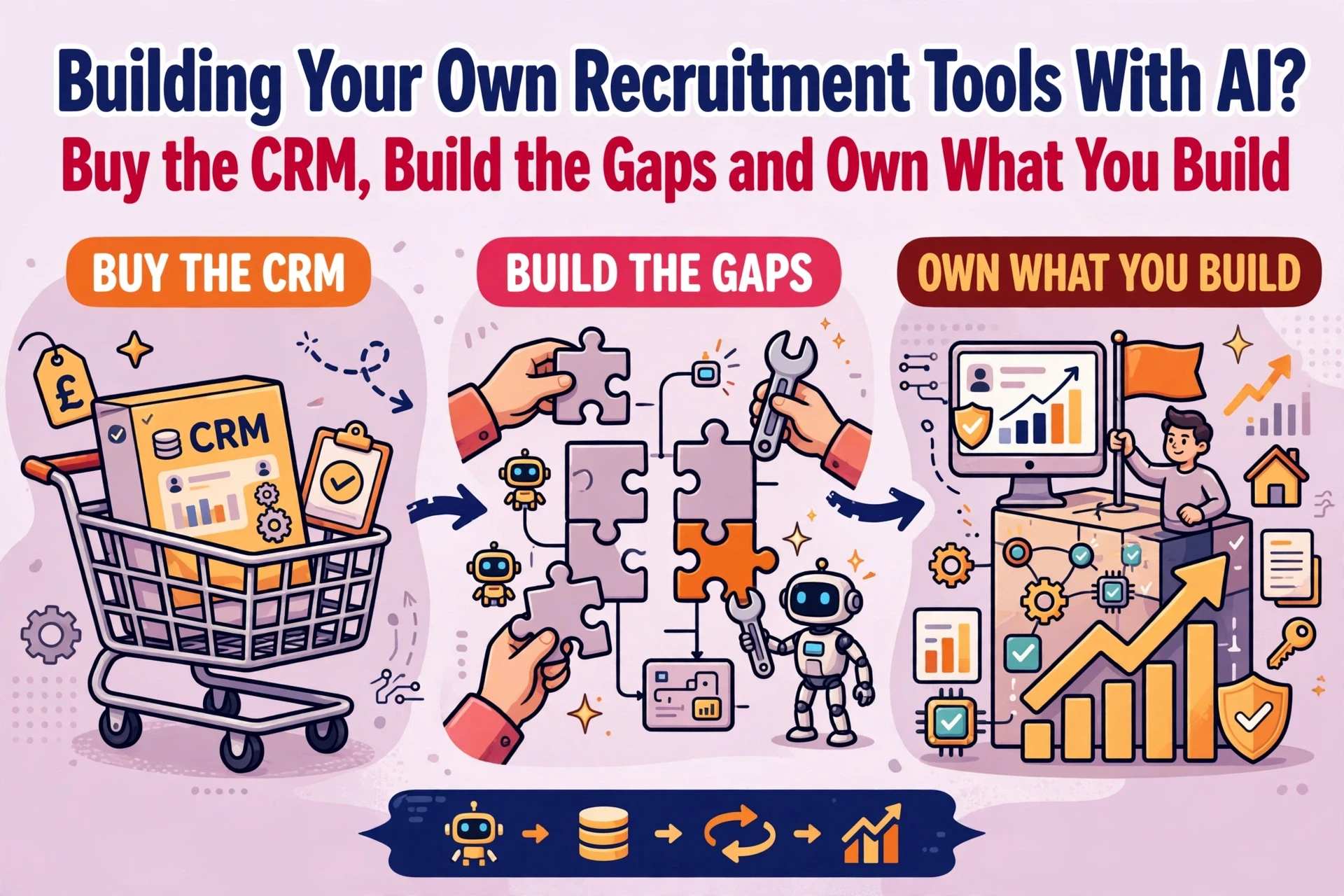
What to buy: CRM, back office and compliance infrastructure
Your CRM acts as your central system of record. It stores clients, contacts, candidate histories and placement records. Surrounding infrastructure such as payroll, invoicing, timesheets and right-to-work compliance carries strict financial and legal obligations. These foundational systems should always be bought off the shelf.
Building custom software for compliance or back-office operations introduces unnecessary liability. Established commercial vendors invest heavily in security, regulatory updates and audit trails. Buying core platforms allows your agency to focus custom internal efforts purely on competitive desk workflows.
When evaluating a recruitment CRM, agencies should prioritise four criteria:
- How well the system matches daily recruitment desk workflows.
- Open API accessibility for connecting specialised gap tools.
- Reporting flexibility for revenue, margin and pipeline visibility.
- Long-term consultant adoption potential across your desks.
Fit matters far more than an extensive feature list. Commercial platforms such as Bullhorn or Vincere serve as common foundations for UK agencies, but selection depends on desk structure and business model. Independent choosing a recruitment CRM helps agency leaders balance operational requirements against vendor sales pressure.

What to build: the five operational gaps around your CRM
Agencies should consider custom builds where commercial software stops and unique agency processes begin. Building makes sense for small, highly specific gap tools that extract data from your CRM to perform one distinct job.

The five areas where lightweight custom builds deliver value include:
- Reporting dashboards that combine CRM pipeline data with external financial figures.
- Business development triggers that highlight client hiring signals and target accounts.
- Commission calculators tailored to your specific fee split structures.
- Specialist resourcing tools that assist with desk-specific candidate tagging.
- Automated outreach workflows that feed prospective client leads into desk queues.
AI builders such as Claude or Lovable excel at rapid prototyping for these single-purpose tools. However, agencies must recognise their technical limits. AI builders handle simple data displays well, but they often struggle with complex user permissions, direct bi-directional CRM writes and audit logging.
Agencies using dedicated automation tools like Clay for business development can design workflows that keep the CRM as the system of record. Working alongside specialist automation engineers ensures outreach workflows run in your own accounts with full human approval before any message is sent. For agencies exploring this approach, our recruitment automation service helps design BD and sourcing workflows around existing tech stacks.
The four ownership tests every internal tool must pass
Building custom tools creates technical debt if nobody takes long-term responsibility for them. Before launching any internal application to your consulting desks, ensure it passes four operational ownership tests.
- Named owner: One specific individual must be accountable for the tool. Assigning ownership to a team means nobody owns it.
- Access control: Role-based permissions must restrict candidate and client data, with access revoked immediately when staff leave.
- Documentation: System architecture, API connections and data flows must be documented clearly so an external engineer could step in.
- Maintenance path: A designated internal person or external partner must be available to fix errors when API endpoints change.
Failing any single test turns a helpful shortcut into an operational liability. These governance principles apply whether you build lightweight scripts in-house or engage an independent RecTech consultancy to review your architecture.
When an internal developer or technically minded consultant leaves, unmaintained tools quickly break. Store all code repositories, API credentials and platform logins in shared corporate accounts rather than personal developer profiles. Formalising software governance protects your business from losing access to critical operational tools, a topic covered in detail during any recruitment technology audit.
When building is the wrong decision for your agency
Building software is rarely the right path when an existing CRM feature already solves the problem. If consultants avoid using built-in CRM capabilities because of poor initial training or complex configuration, building another tool simply compounds user adoption issues.
Agencies should avoid building custom software in these situations:
- The requirement involves core back-office processes, payroll or statutory compliance.
- No internal staff member has the capacity or skill to manage and update the tool.
- The workflow changes frequently, requiring continuous rebuilds of custom scripts.
- The underlying CRM database suffers from inconsistent record coding or duplicate entries.
Before building custom tools, agencies must ensure their core data structure is sound. Attempting to build reporting layers or automation on top of unstandardised CRM data leads to inaccurate outputs. Agencies seeking to assess and structure their contact data can use our data intelligence service to score contact records and establish solid data foundations.
Additionally, technical teams evaluating custom builds must ensure integrations meet strict data governance standards. Thoroughly evaluating software integration and security ensures custom API connections do not expose sensitive candidate records.
Frequently asked questions
Can recruitment agencies build custom software with AI app builders?
AI builders allow recruitment agencies to prototype single-purpose tools quickly, such as custom commission calculators or pipeline views. However, they should not replace core operational platforms. AI builders struggle with bi-directional CRM data synchronisation, complex permission structures and security logging. Treat AI builders as rapid prototyping aids rather than permanent core infrastructure.
Which recruitment tools should an agency buy instead of building?
Agencies should buy core systems of record off the shelf, including recruitment CRMs, back-office payroll platforms and right-to-work compliance tools. Commercial software vendors maintain security compliance, regulatory updates and technical infrastructure. Agencies should limit custom builds to niche operational gaps surrounding the CRM, such as specialised reporting or business development workflows.
How can an agency prevent custom tools from breaking when key staff leave?
Prevent technical lock-in by enforcing centralised ownership. Store all source code, API credentials and platform logins in enterprise password vaults rather than individual accounts. Require comprehensive system documentation before rolling out custom tools to desks. Ensure secondary internal team members or external technical consultants understand the architecture to handle ongoing maintenance.
How many custom tools should a recruitment agency maintain?
Keep custom tools to a strict minimum. Build one gap tool at a time, document its architecture, and confirm desk adoption before considering another build. Accumulating multiple custom tools creates software sprawl, increasing maintenance overhead and data synchronisation risks across your tech stack.