A warm client lead goes cold fast when the last conversation sits in one consultant's inbox, the next action in a spreadsheet, and the account history in someone's head. For a small or mid-sized agency, patchy account records and missed follow-ups cost fee income quietly.
Fixing this issue rarely requires buying new software. Most modern systems contain the necessary tools, but agencies configure them poorly or burden consultants with excessive data entry. Client development succeeds when your CRM provides clear account ownership, visible pipeline stages, and structured records that match how your agency actually wins work.
Client development features at a glance
| Feature | Primary focus | Role in client development | Critical data to capture |
|---|---|---|---|
| Account and contact records | Account structures and contact mapping | Establishes clear account ownership and shared relationship context | Named contacts, decision-maker roles, hiring structures and account owners |
| Business development pipeline | Opportunity and deal tracking | Provides visibility on prospect stages and required next actions | Stage, fee value, owner, deal context and agreed review date |
| Interaction history and tasks | Conversation logging and task management | Maintains continuity across conversations and client handovers | Notes, commitments, action owners and scheduled follow-up dates |
| Client and delivery activity linkage | Operational context and placement history | Links live delivery and historical placement data to sales outreach | Active jobs, past placements, service feedback and key account history |
| Business development reporting | Performance and pipeline analysis | Translates recorded activity into actionable management decisions | Stage movement, stalled deals, pipeline velocity and conversion rates |
Core recruitment CRM features for client development
Client development involves identifying target accounts, establishing trust with hiring managers, and converting initial placements into long-term accounts. Without standard structure, this commercial effort remains fragmented across personal inboxes and unshared notes.
A properly configured recruitment CRM turns individual business development into an agency asset. To achieve this, the system must support daily consultant workflows without adding unnecessary administrative burden.
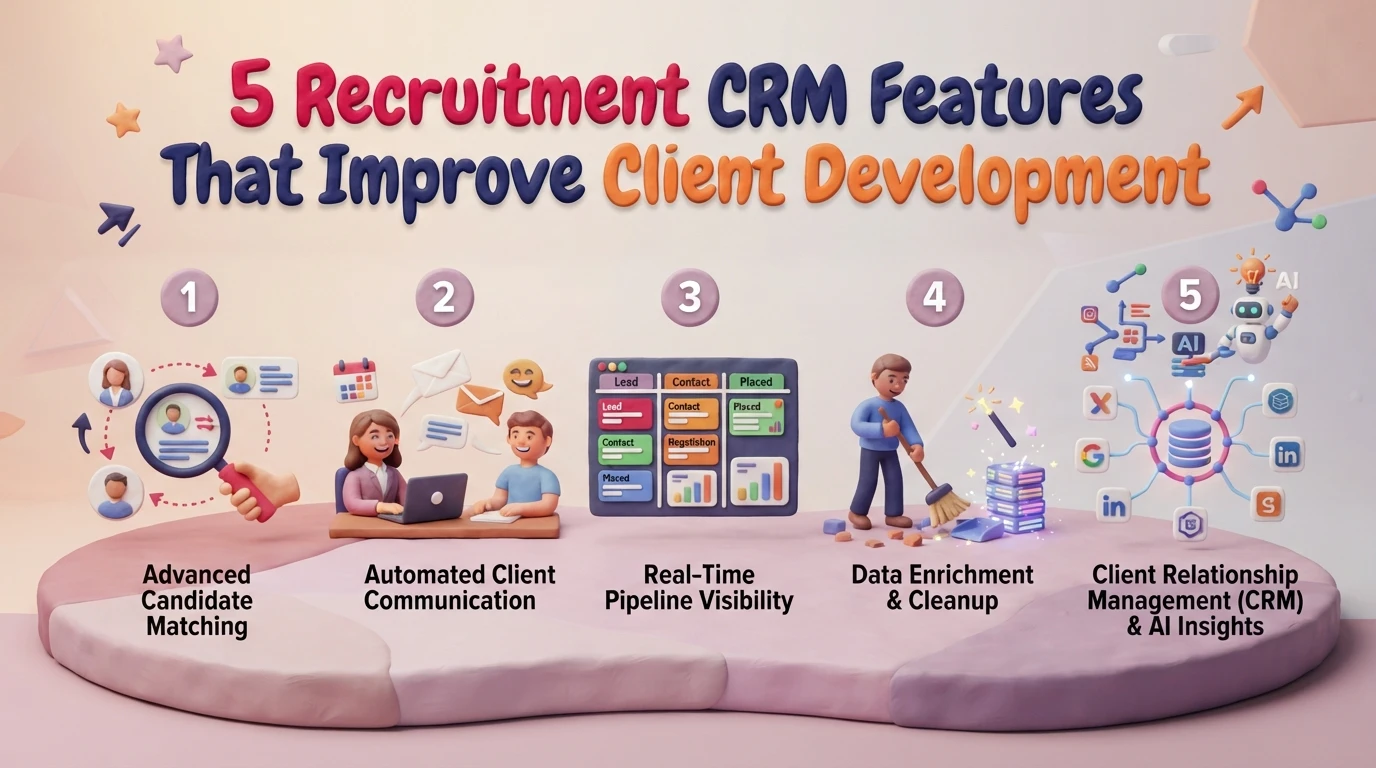
1. Account and contact records
Account management begins with structured organisation data. A useful account record extends beyond basic contact details to show corporate structures, hiring authority and historical relationship context. When a consultant leaves, account knowledge must remain with the agency.

Key setup priorities:
- Map multiple contacts under a single client organisation, detailing job titles and decision-making roles.
- Implement structured tagging for sectors and disciplines rather than relying on free-text fields.
- Record clear account ownership to prevent duplicate outreach across desks.
- Standardise contact entry rules so records remain searchable across the database.
Using structured dropdowns and defined tags ensures that account data remains usable as the database expands. Free-text job titles and loose categorisation make candidate matching and client segmentation unreliable over time. Agencies planning a CRM implementation service must define these data standards before migrating or reconfiguring records.
2. Business development pipeline
A business development pipeline tracks target accounts through distinct commercial milestones. Standard stages typically include target account, initial contact, qualified requirement, terms agreed and live role.

Key setup priorities:
- Build pipeline stages around verifiable client actions, such as agreed meeting dates or signed terms, rather than subjective consultant feelings.
- Assign a named owner, estimated fee value and mandatory next action date to every active opportunity.
- Keep the number of mandatory fields small during stage updates to protect consultant adoption.
- Review stalled opportunities weekly to prevent the pipeline from becoming an archive of cold contacts.
Overly complex pipelines create administrative friction. When consultants face dozens of required fields, they enter placeholder data or stop updating the system altogether. Keeping pipeline management simple ensures high data accuracy across the team.
3. Interaction history and follow-up tasks
Centralised conversation history ensures that any consultant can pick up an account with complete context. Linking email logging, call notes and scheduled tasks creates commercial continuity during staff changes or annual leave.

Key setup priorities:
- Link every call note, meeting summary and email to both the specific contact and the parent organisation.
- Use automated email sync tools to capture outreach context without requiring manual pasting.
- Set specific follow-up tasks with clear due dates and action descriptions.
- Monitor open task backlogs to identify abandoned leads early.
Follow-up tasks should drive action, not clutter dashboards. A long list of overdue tasks usually signals that consultants are setting unrealistic dates or ignoring automated reminders.
4. Client and delivery activity linkage
Client development yields better results when sales activity aligns with operational recruitment history. Linking account records to live jobs, historical placements and candidate feedback provides consultants with essential context before they call a client.

Key setup priorities:
- Connect candidate placement histories directly to client contact profiles.
- Display open job orders and active CV submissions alongside account management views.
- Capture client feedback from past placements to inform future business development outreach.
- Ensure permission settings protect sensitive commercial terms while keeping operational history visible.
Understanding recent delivery history prevents embarrassing sales calls, such as pitching new services to a client who experienced recent placement issues. Agencies reviewing their overall system layout can draw on independent recruitment tech stack consultancy to align sales workflows with delivery data.
5. Business development reporting
Reporting capabilities turn daily CRM entries into clear operational insight. Effective reporting focuses on pipeline health, stage progression and follow-up discipline rather than raw call volumes.
Key setup priorities:
- Track pipeline velocity to measure how quickly accounts move from initial contact to signed terms.
- Highlight opportunities with missing or overdue next actions.
- Analyse conversion rates between pipeline stages to identify training or process gaps.
- Evaluate account origin to see which business development channels yield the highest lifetime fees.
Dashboards are only as reliable as the underlying records. If consultants input inconsistent data, reports present a precise but false picture of performance. Implementing a thorough data intelligence service helps agencies score record quality, highlight duplicate data and establish strong foundations before relying on reporting suites.
Evaluating your CRM setup for client development
Before altering CRM workflows or considering new software, assess your current operational routines against these practical criteria:
- Account ownership: Is every target account clearly assigned to a single owner, with visible contact structures?
- User friction: Can consultants record meeting notes and schedule follow-ups in under two minutes?
- Pipeline accuracy: Are pipeline stages defined by clear commercial milestones rather than vague metrics?
- Reporting reliability: Can leadership identify stalled deals directly from CRM dashboards without manual spreadsheets?
- Data standards: Does your system use standard tags for disciplines and locations to keep records searchable?
Testing these capabilities with a small group of consultants highlights practical workflow bottlenecks before you roll out changes across your agency.
Frequently asked questions
Which recruitment CRM features have the biggest impact on client development?
Structured contact mapping and a transparent business development pipeline deliver the most immediate impact. Contact mapping preserves relationship history within the agency, while clear pipeline stages make active opportunities and overdue follow-ups immediately visible to commercial leaders.
Can generic CRMs support recruitment client development effectively?
Generic CRMs track accounts and deals, but they often lack native links between client records, candidate profiles and placement pipelines. Recruitment-specific CRMs integrate commercial outreach directly with job delivery data, reducing manual cross-referencing for consultants.
How do you encourage recruitment consultants to log CRM data consistently?
Consultants maintain records when data entry is quick and directly useful to their daily desk work. Reduce mandatory update fields, automate email logging and use CRM pipeline views during weekly desk reviews so recorded data actively supports billing goals.
What data issues typically prevent effective business development reporting?
Free-text fields, unstandardised job titles, duplicate records and missing next-action dates degrade reporting quality. Establishing standard tagging structures and regular record scoring ensures CRM dashboards reflect real commercial activity rather than inaccurate data entries.