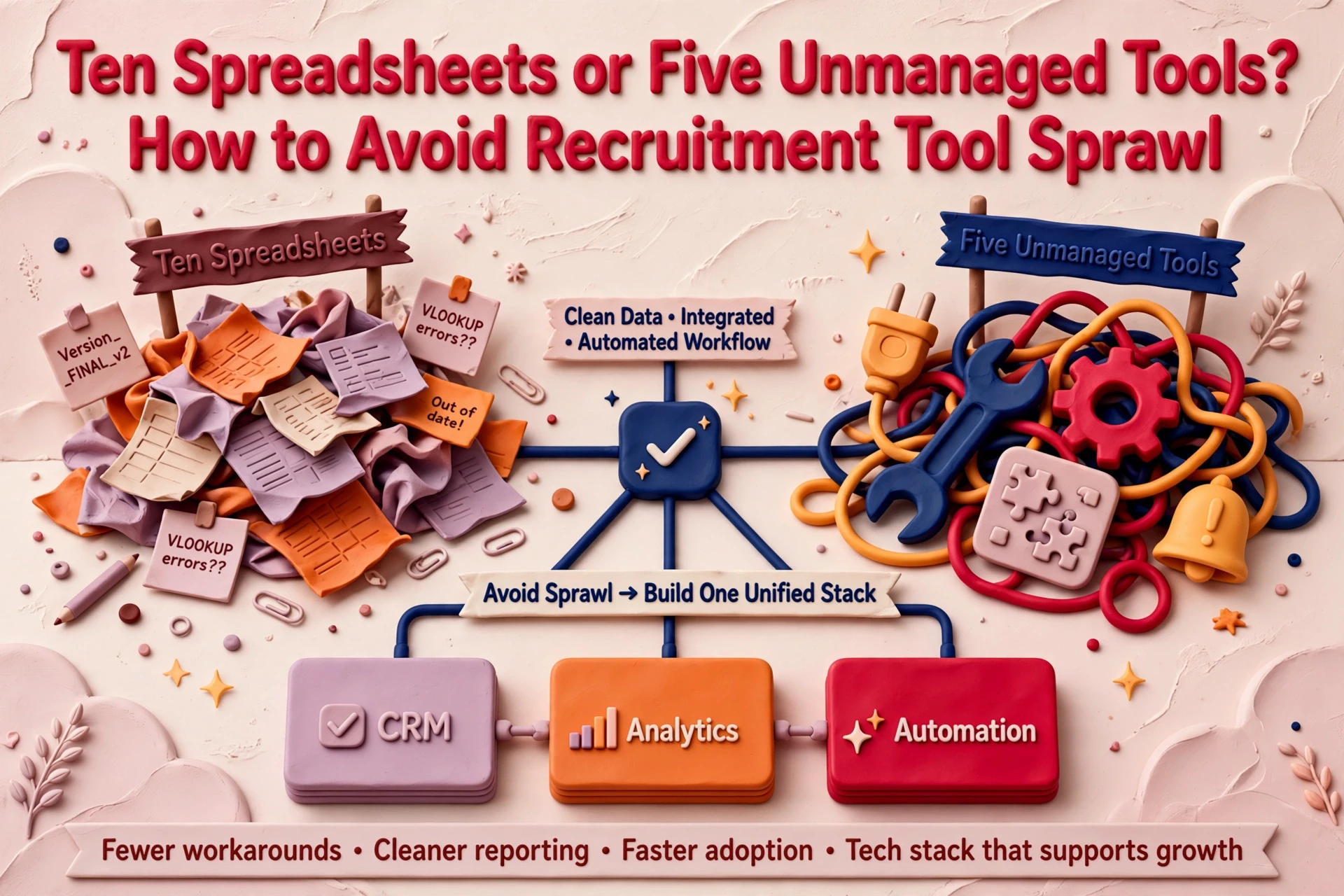
A recruitment desk often runs on ten spreadsheets: pipeline logs, client shortlists, fee trackers and referral lists. When teams swap those sheets for quick AI-built utilities, they usually create a different problem. Five unmanaged apps carry the same operational risk as ten loose workbooks, but with live candidate and client records scattered across secondary systems.
Tool sprawl occurs when software enters an agency without clear ownership, maintenance boundaries or integration with the central database. Preventing it requires a light governance structure rather than restrictive IT policies.
How spreadsheet desks drift into software sprawl
Sprawl rarely starts with a poor operational decision. A consultant builds a prompt or micro-app to handle CV summaries, while another builds a quick scraper for job boards. Each small tool solves an immediate headache on one desk.
Problems compound when team members copy these setups without understanding their underlying structure. One consultant tweaks a prompt, leading to two tools carrying out the same job with different outputs.
When a biller leaves the business, their custom app often stays active. Nobody monitors the data flowing through it or checks whether the tool remains compliant with internal standards.
In over 20 years in recruitment, including running and selling an agency, we see this pattern regularly. Spreadsheets were inefficient, but they were visible. Everyone knew where information lived because the team accessed identical workbooks. Replacing spreadsheets with disconnected apps replaces visible clutter with hidden risk.
The hidden operational risks of unmanaged recruitment apps
Replacing manual spreadsheets with custom applications only improves operations if those applications are governed properly. When you build your own recruitment tools quickly with AI, each one holds live candidate and client data. Swapping ten spreadsheets for five unmanaged tools converts file clutter into fragmented database records.
Three clear warning signs indicate that tool sprawl is damaging your agency:
- Unclear software functions. Ask your consultants to list every app they use and state its exact purpose. If team members give conflicting descriptions for the same tool, software has outgrown governance.
- Fragmented data locations. Candidate records drift into CRMs, local downloads and bespoke web apps. When information spreads across five platforms, search functionality breaks down.
- Unchecked user access. New hires inherit login credentials from outgoing staff. Account access rarely gets revoked, allowing former employees or unauthorised roles to view sensitive operational data.
Before building new tools, review your process foundations. Listening to our recorded conversation on process before automation covers why fixing workflows matters before introducing new software.

Building a practical one-page tool register
A tool register is a simple document listing every application that processes agency data. It requires five specific entries for every record:

- Purpose. A single line describing what the tool accomplishes.
- Named owner. One designated individual responsible for the app.
- User permissions. The specific roles granted access.
- Data storage location. Where candidate and client records reside.
- Next review date. The scheduled calendar date for re-evaluating the tool.
The review date keeps the register effective. Periodic checks ensure orphan applications are identified quickly rather than surfacing during an operational audit.
Completing the register should take one hour. Document your core stack first, then ask consultants which systems they open each morning. Any software without a clear lead is listed as unowned.
The mandatory ownership rule for internal builds
Managing an internal app is an operational responsibility. The named owner manages user permissions, verifies data accuracy, secures backups and coordinates reviews. If a consultant resigns, the owner reassigns their workflows within five business days.
Enforce one strict rule across your agency: no named owner, no build. If no consultant accepts responsibility for maintaining a tool, the project stays unbuilt.
When considering building internal recruitment tools with AI, establish ownership before writing code or configuring workflows.
How to audit and decommission orphan tools
Apply the ownership rule to your existing technology stack by asking one question for every active system: who owns this application?
Any system lacking a clear owner is an orphan tool. Flag these platforms, export critical records back into your primary CRM, and terminate subscriptions at the next review date.
Agencies seeking guidance on structural alignment can consult our independent RecTech consultancy service to evaluate stack efficiency.
Deciding what stays in your core CRM
Your CRM must remain the primary system of record for placements, candidate histories and client interactions. Auxiliary tools should process data temporarily or push updates straight back into the central database.
Do not allow niche utilities to become isolated data silos. If a tool cannot sync records back to your CRM, evaluate whether its operational value justifies the manual work required to maintain data consistency.
Determining your next steps on desk tooling
Audit your current desk tools this week. Draft your one-page register, assign an owner to every approved application, and decommission unowned utilities.
Establishing strict ownership rules prevents software sprawl while keeping your CRM at the centre of your agency.
Frequently asked questions
How can a recruitment agency prevent software tool sprawl?
Create a one-page tool register detailing every application, its specific function, user permissions, data storage location and next review date. Enforce a strict rule that no internal tool is deployed without a named individual taking ownership of its maintenance. Audit the register quarterly to remove unused systems.
Why does replacing spreadsheets with custom AI tools increase data risk?
Spreadsheets are visible workbooks stored in known folders, whereas unmanaged custom AI tools decentralise candidate and client records across external platforms. Without formal ownership, these apps store unverified data, lack clear user permission rules and persist after staff leave, creating compliance and data fragmentation risks across desks.
How many tools belong in a recruitment technology stack?
A recruitment agency should maintain only as many tools as it can actively govern with named owners and structured CRM integrations. The total count matters less than whether every application has an assigned lead, clear data flow parameters and a scheduled quarterly review date to prevent operational drift.