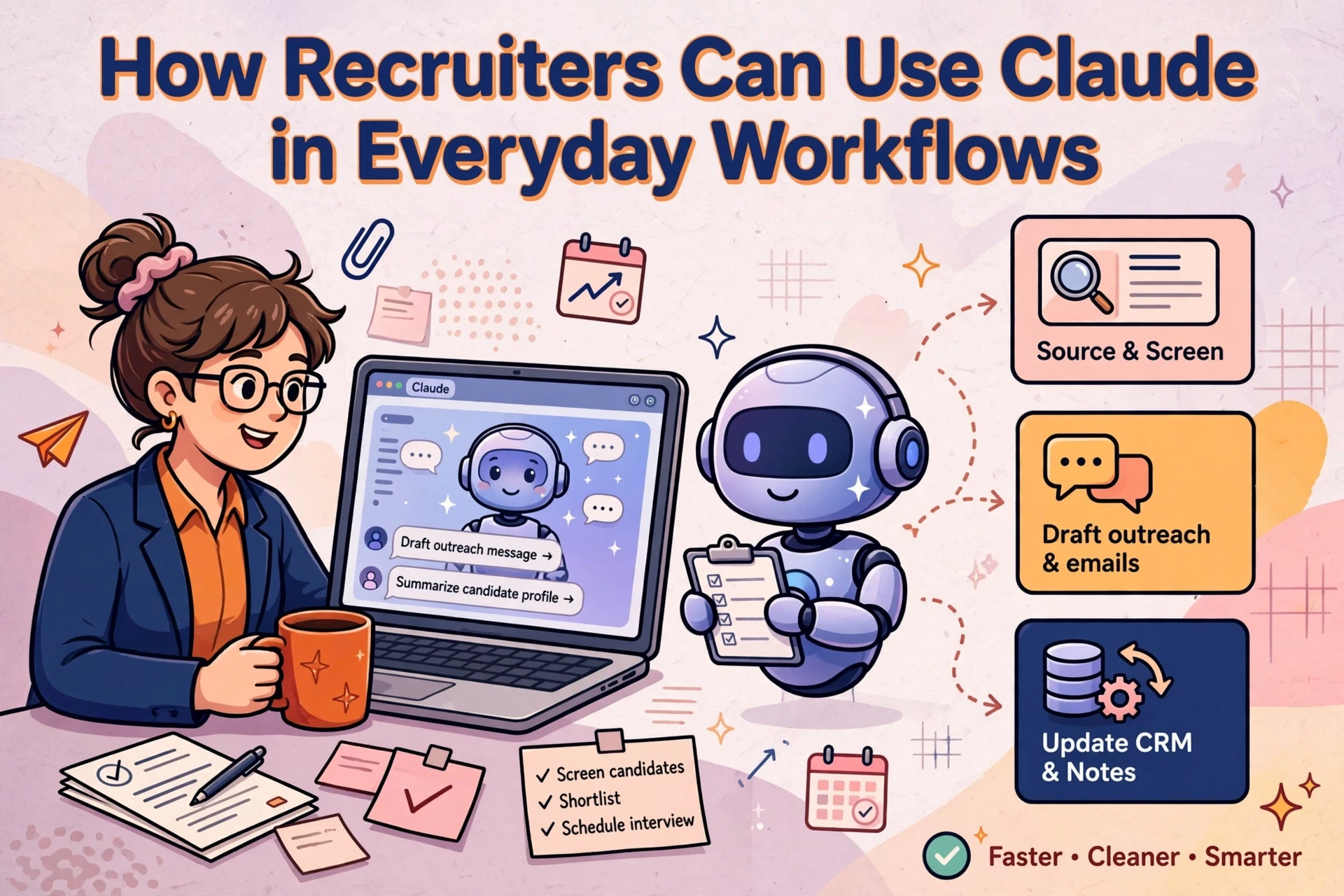
Using Claude on a recruitment desk reduces administrative drag, but only when consultants prompt it with structured context and verify the output. Without clear briefs and structured CRM data, AI tools produce generic outreach and inaccurate summaries that damage client relationships.
Deploying Claude across candidate research, job specification drafting, candidate matching and business development gives agency teams a consistent drafting partner. The quality of what comes back depends entirely on the information supplied and the operational discipline on the desk.
Research target companies and candidate profiles
Used well, Claude turns an hour of tab-hopping into a focused brief a consultant can act on the same morning. The output quality depends on how the tool is briefed. Vague prompts return generic summaries, while specific constraints surface actionable commercial signals.
Briefing Claude for specific desk research
Start with desk context before asking for analysis. Tell Claude the target sector, the specific role level and why the company matters to your desk.
A practical prompt structure sets the baseline: "Act as a research assistant for a UK logistics recruitment desk. Summarise this company's recent expansion, hiring signals and organisational structure. Flag anything relevant to supply chain management roles."
Paste in the job ad, CRM record notes and recent annual report pages. Request the output in a fixed format: three verified business facts, three operational gaps and three targeted questions for a client conversation. This structure forces specific details that consultants can cross-reference against primary sources.
Always verify facts against source documents before using research in BD calls. Claude assists with drafting and synthesis; it does not replace primary verification.
Turning account research into business development angles
Give Claude the company summary alongside your agency's historical placement data in that sector. Ask the tool to identify potential hiring friction points based on team expansion or structure changes.
Use the response to draft an opening angle for a phone call or tailored email. A consultant must review and approve the text before any communication is dispatched. Generic AI outreach fails to convert, so sharper research inputs directly dictate response rates.
The same briefing discipline applies to candidate research. Supply a candidate profile and role description, then request an objective comparison of core skills. The exercise relies entirely on underlying record accuracy, which is why CRM data quality decides what AI can do for your agency, and why teams building an AI-assisted sourcing workflow start there.
Draft candidate outreach that sounds like your consultants
Generic messages sent to candidates achieve poor reply rates. Claude can draft initial candidate outreach that references specific achievements, provided the prompt contains sufficient context.
Combining candidate background with role specifics
Provide three elements in the prompt: candidate history from your CRM or profile notes, the detailed job specification with mandatory requirements, and two examples of effective outreach written by your top billers. Style references allow Claude to replicate tone and cadence accurately.

Include specific elements that an experienced consultant would highlight: market context, career progression potential and project scope. Instruct Claude to produce a concise initial message that opens with a direct candidate detail rather than standard introductory template language. Keep the core pitch to two concise paragraphs followed by a straightforward call to action.
Evaluating message variants before dispatch
Request three message variants with distinct hooks: one focused on career progression, one referencing industry sector developments and one posing a direct question regarding specialized skill sets.
The consultant selects the strongest option, edits any phrasing that feels artificial and approves the final copy. Manual review remains mandatory because every communication reflects directly on agency brand authority.
Incomplete candidate records limit drafting accuracy, which is why clean CRM data decides what AI can do for your agency. Teams embedding this drafting process into daily operations often build it into wider recruitment automation once message consistency is established.
Convert client call notes into structured role briefs
Client intake calls often generate unstructured notes containing partial requirements, industry shorthand and evolving criteria. Claude converts raw notes into standardized job specifications rapidly.
Structuring raw intake notes
Paste raw meeting notes into Claude and instruct it to extract key elements: job title, primary responsibilities, essential technical requirements, secondary preferences, remuneration package, location requirements and key interview stages.
The tool returns an ordered job specification that consultants can review in minutes rather than drafting manually.
Prompt Pattern: Call Notes to Brief
----------------------------------
Input: [Paste raw call transcript or rough notes]
Instruction: Extract and format into:
1. Role Summary
2. Core Responsibilities (bulleted)
3. Essential Requirements (must-haves)
4. Preferred Experience (nice-to-haves)
5. Package & Work Pattern
6. Client Hiring Nuances
Constraint: Include only explicitly stated facts. Flag assumptions.

Review the draft against call memory, remove unverified assumptions and confirm the final requirement brief with the client prior to launching candidate search activity.
Evidence-based profile screening
Screening candidate profiles against confirmed job briefs follows a clear four-step process:
- Paste the validated role brief alongside candidate CV details.
- Instruct Claude to evaluate the profile against each mandatory criteria item.
- Require specific verbatim text excerpts from the profile as evidence for each score.
- Issue a clear match assessment: strong fit, partial fit or weak fit.
Requiring verbatim evidence prevents false assumptions and allows consultants to validate shortlists efficiently before presenting candidates to clients.
Candidate information processed through AI models must strictly comply with UK GDPR and data protection requirements. When deploying these prompts within recruitment operations, connecting them directly to your central database ensures data remains secure, as Syun Consulting's recruitment automation guidance covers.
Summarise sector reports for business development context
Annual financial statements, regional economic updates and trade publications contain useful hiring indicators, but manually reading lengthy documents takes time consultants rarely have.
Extracting operational intelligence from market reports
Paste public documents into Claude to isolate growth indicators relevant to recruitment desks. Direct the tool to identify geographic expansion, new service lines, executive appointments and reported skill constraints.

Follow up with specific queries targeting departmental impact, such as identifying which divisions will require additional headcount to support stated growth plans. Treat AI document synthesis as a speed mechanism for desk research, spot-checking highlighted figures against source texts before client meetings.
Building pre-meeting briefing sheets
Before BD calls, create a concise account sheet. Ask Claude to compile five critical data points: core business focus, recent operational shifts, key decision-makers, probable resourcing bottlenecks and one relevant industry topic to raise.
Incorporate historical CRM data into the prompt so the generated brief combines public market signals with internal agency knowledge. For agencies implementing Claude across multiple desks, Syun Consulting details how to integrate research routines with existing CRM infrastructure.
Connect Claude to recruitment CRM workflows
Running Claude as an isolated browser application limits its impact to individual desks. Connecting the tool to central agency systems allows data to flow directly into operational recruitment workflows.
Operational advantages of connected systems
When integrated with a recruitment CRM or workflow platform such as Clay, Claude accesses structured database records directly. It operates within your agency's specific taxonomy, sector coding and candidate pipeline status.
Connected workflows allow automated processing of incoming applications against stored criteria, structured summary creation from raw interview notes and automated generation of candidate submission profiles formatted to agency standards.
Setting automation priorities
Focus initial integration efforts on high-volume, repetitive tasks that consume consultant hours without requiring complex relationship management:
- Standardising free-text notes into structured CRM fields.
- Parsing multi-format candidate CVs into consistent profile summaries.
- Extracting structured job briefs from email threads and call transcripts.
- Generating initial draft outreach based on saved search alerts.
Maintain mandatory human approval checkpoints across all workflows involving external communication or candidate selection. No automated draft should leave the agency without consultant sign-off.
In our work advising UK agencies on AI workflows since 2023, technology yields the highest returns when applied to defined, standard processes. Where individual desks hit limits with isolated AI tools, workflow structure is usually the barrier. Review how Syun Consulting connects AI capabilities directly to your recruitment CRM.
Establishing practical safeguards for desk workflow
To implement Claude effectively across an agency, start by selecting one repetitive administrative task, such as client call summarisation or intake note formatting. Establish standard prompt templates for that specific task and test them on a single recruitment desk before rolling them out wider.
Review underlying CRM data structures alongside prompt adoption. Inaccurate contact records, unstandardised job titles and missing database fields degrade AI output quality. Fixing data entry habits and field mapping provides the foundation required for reliable automation.
Frequently asked questions
How does Claude assist with candidate and client research?
Claude synthesises financial reports, company updates and industry news into concise business development briefs. When supplied with role specifications, it identifies key growth signals, departmental hiring needs and relevant operational details, allowing consultants to prepare targeted outreach in minutes.
Can Claude connect to a recruitment CRM?
Yes, Claude connects to recruitment CRMs through standard application programming interfaces (APIs) and automation tools like Clay. Integration enables the AI to read stored candidate records, parse notes into database fields and generate briefs using your agency's existing pipeline data.
How do agencies maintain control over AI-generated outreach?
Agencies maintain control by implementing a mandatory human-in-the-loop sign-off policy. Claude generates draft copy based on candidate profiles and proven outreach examples, but consultants must review, adjust tone and approve every message before it is sent.
Why does CRM data structure affect Claude's performance?
Claude relies entirely on input context to generate accurate responses. If CRM records contain duplicate entries, inconsistent job coding or incomplete notes, the AI generates generic or incorrect outputs. Structured database fields ensure reliable AI performance.