Two agencies can run the same CRM, the same sector specialisms and identical job workflows, yet require completely different first automation projects. One burns consultant hours retyping candidate details into database fields. The other loses productive time chasing interview availability across email threads. The flaw in most advice on recruitment process optimisation is that it begins with vendor features rather than where a recruitment desk actually bleeds time.
Your starting automation project should resolve your firm's specific operational bottleneck, not repeat a software demonstration. Sequencing workflows systematically, verifying that database records are structured, and setting clear performance baselines before commissioning builds protects your team from wasted spend.
What recruitment process optimisation actually means
Recruitment process optimisation is the discipline of identifying friction and quality loss in your delivery workflow, then redesigning the sequence so consultants spend their time billing. Technology is only one component. Process architecture, data readiness and ongoing operational measurement matter just as much.
Task automation versus process automation
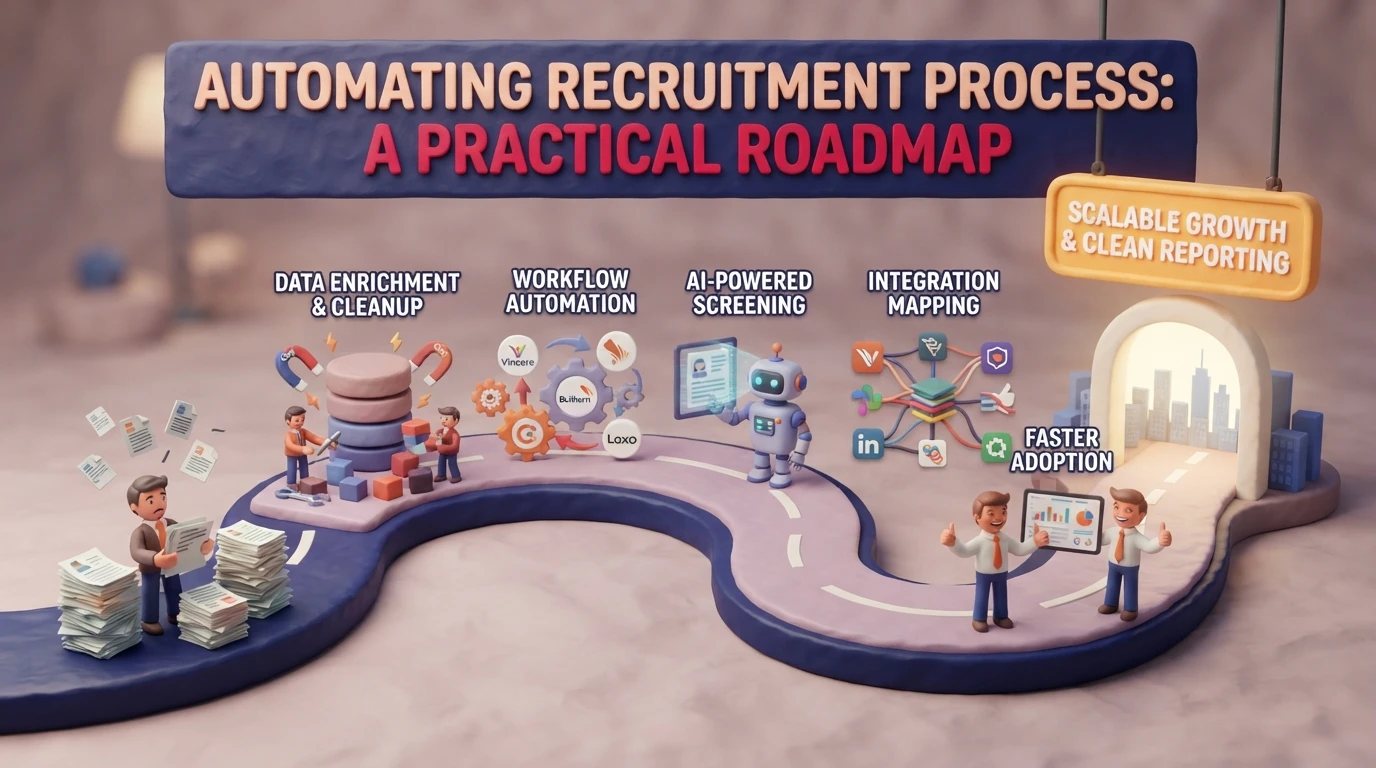
Task automation handles a single disconnected action. A scheduling link sends an email invite, or a template tool drafts job copy. Recruitment process automation connects sequential steps so work progresses without a consultant manually re-entering information. Candidate intake automation, for example, can parse a CV, populate structured CRM fields, score the applicant against active job parameters, and trigger the next stage without administrative delay.

The four levers of workflow improvement
A practical improvement programme addresses four areas at once:
- Workflow structure: which operational steps take place, who signs off, and where records move.
- Rule automation: building reliable logic for routine, predictable steps.
- Record readiness: ensuring data fields are mapped and populated so automations do not fail silently.
- Measurement: tracking response speed, desk hours saved, and candidate drop-off rates.
AI and automation serve different jobs, and most agencies have already tackled single tasks using standard third-party tools. The harder challenge is cross-system consistency. Bottlenecks sit primarily in handoffs between consultants, administration teams and platforms, which isolated task tools cannot solve.
Where should recruitment process automation start?
Start with administrative steps that occur daily, follow identical rules every time, and damage fee generation when delayed. For most UK agencies, that means candidate intake first, followed by interview coordination, status updates and placement compliance paperwork. Tasks that rely on human judgement, such as final shortlisting or client fee negotiations, must remain with consultants.
The prioritisation test: volume, repetition and risk
Evaluate candidate workflows against three tests:
- Volume: how many times does this task occur across the desks each week?
- Repetition: does the action follow identical logical rules on every occasion?
- Consequence: what commercial impact occurs if the task is delayed or mishandled?
A step scoring high across all three categories is your initial build candidate. High-volume tasks with low consequence, such as internal status notifications, offer limited commercial return. Low-volume tasks with heavy consequence, including fee negotiations, belong with senior consultants.
Why candidate intake comes first
Candidate intake automation reliably delivers the quickest payback. Incoming applications require parsing, record creation, desk assignment, status tagging and confirmation messaging. When consultants handle this manually, inbound candidates sit uncontacted for days while desks manage live client roles.
Automating intake cuts first-response times from days to minutes while preventing candidate details from slipping into personal inboxes. It also standardises data entry for every workflow that follows. If your team plans to design custom workflows, our [[https://syunconsulting.com/services/recruitment-automation][recruitment automation service]] sets up these operational pipelines directly inside your agency's existing tech stack.
Scheduling, status alerts and onboarding
Once intake moves reliably, agencies should address three downstream administration workflows:

- Interview coordination: removes the email tag between candidate calendars, client hiring managers and consultants.
- Candidate status updates: triggers automated progress notifications so applicants are never left wondering where they stand.
- Placement and compliance paperwork: generates standard contracts, sends digital signature requests, and logs completed documents against the CRM placement record.
Automating these steps removes the administrative drag that consultants resent most: status chasing, data retyping and diary coordination. The resulting capacity allows recruiters to concentrate on live candidate headhunting and client development.
Rules-based workflows first, AI where volume justifies it
Agencies should build rules-based workflows before introducing machine learning models. Standard logic workflows cost less, operate transparently, and rarely produce unexpected outputs.
The rules-based qualification test
Evaluate a workflow against three operational criteria:
- Does the sequence follow the same path on every repetition?
- Does the trigger event reside directly within your CRM?
- Would your consultants trust the output without manually verifying every field?
If a process meets these conditions, construct it using standard logic triggers. Acknowledgement emails, interview confirmations, and compliance document packs all satisfy this standard.
Applying AI models selectively
AI models make commercial sense where unstructured data requires interpretation, such as ranking high-volume inbound CVs against detailed criteria, drafting initial research summaries, or scoring contact relevance. Desks reviewing 30 candidate records weekly gain little from AI parsing tools, whereas a high-volume contingent desk handling hundreds of weekly applications saves significant consultant time. our AI workflows work covers how agencies phase this in.

Retaining consultant oversight
Automating candidate rejections or final shortlist decisions without human sign-off creates candidate backlash and compliance hazards. The workflow should collect data, score against defined parameters, and present structured recommendations to the consultant. The consultant reviews the output, applies commercial judgement, and clicks to approve before messages leave the business.
Record readiness: the prerequisite agencies skip
Automations read and execute on whatever data currently exists within your fields. If an automated routing rule triggers from a blank sector tag, an unassigned consultant field, or an invalid email address, the automation misfires immediately.
Keep your initial data preparation scoped to the specific records your workflow will interact with. Score records against the required fields, complete missing information where possible, and standardise tag values across your active desks. Never attempt to manually audit hundreds of thousands of legacy records at once. Flag non-compliant records for operational review rather than guessing missing data.
At a minimum, ensure these five fields are populated and verified before turning on workflow automations:
- Primary contact name and verified email address
- Record owner, so candidate routing maps to active billing consultants
- Standardised desk or discipline taxonomy
- Current candidate status, preventing triggers from hitting placed talent
- Attribution source, ensuring performance reporting remains accurate
Measuring whether the automation worked
How do you measure recruitment automation ROI? Establish operational baselines across your desks before deploying code. Compare recorded figures across four specific areas:
- Time to first contact: hours elapsed between application arrival and consultant outreach.
- Weekly admin burden: hours per consultant spent re-keying details, chasing availability, and generating contracts.
- Scheduling velocity: days taken between candidate submission and confirmed interview times.
- Placement turnaround: hours spent gathering compliance documents and signed terms.
Monitoring trigger health each week confirms that automations fire reliably. Track missed triggers, field validation errors and dropped webhooks. Integrating these metrics into your wider operational dashboard, as outlined in recruitment data intelligence strategy, demonstrates tangible productivity gains to leadership.
Next steps for your agency
Evaluate your desks this week to find where manual retyping and chasing creates the longest delays. Map that single process from trigger to completion, verify that the underlying CRM fields are coded correctly, and automate that workflow before investing in additional tooling.
Frequently asked questions
Where should recruitment process automation start?
Agencies should start with candidate intake automation. Inbound CV processing, record creation and immediate acknowledgement represent the highest volume of repetitive administration across most recruitment desks. Automating this sequence accelerates response times, ensures consistent CRM record creation, and frees consultants to conduct qualification calls immediately.
Should an agency automate with rules or AI first?
Build rules-based automations first. Rules-based triggers are transparent, cost-effective, and provide reliable results for administrative steps like interview confirmations, intake routing and compliance document generation. Agencies should introduce AI workflows later, reserving them for high-volume scenarios that require processing unstructured information, such as CV scoring and talent research.
What CRM data must be in place before automating?
Automations require verified contact details, an active record owner, standardised discipline tagging, current placement status and lead source attribution. If these core fields contain blanks or non-standard entries, automated routing rules will misfire. Flag incomplete records for review rather than running automations on unverified database entries.
How do you measure return on investment from recruitment automation?
Measure four specific desk baselines before building: time to first candidate outreach, consultant hours spent on data admin, calendar days required to confirm interviews, and onboarding document turnaround time. Comparing these operational figures after 90 days provides hard evidence of capacity gains and recruitment speed improvements.